Overview
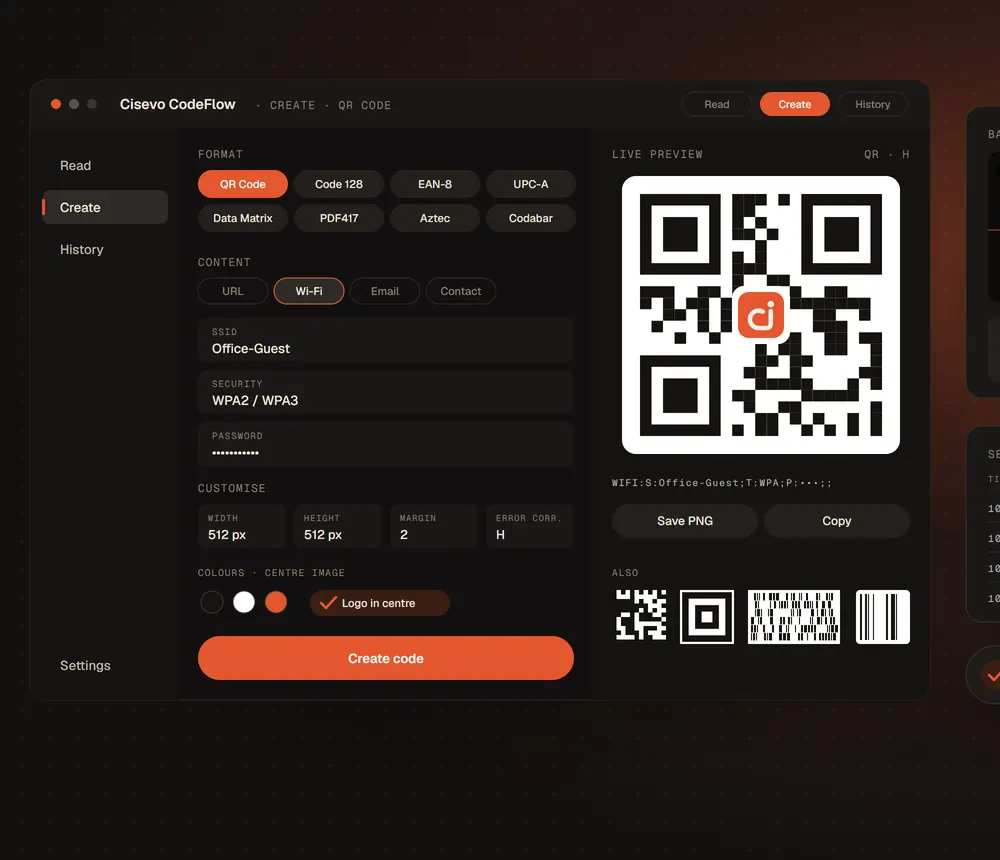
A desktop platform for the whole life of machine-readable codes: create and customise barcodes and QR codes, encode millions from a CSV file, decode from screen, clipboard, files and folders, and run continuous live scanning sessions that flag duplicates and missing records and export a full Excel report.
The problem
Teams that print and check large volumes of labels and documents juggle separate tools to create codes, read them and verify them — and still struggle to spot a repeated serial or a missing document on a fast production line.
Create any code, the way you need it
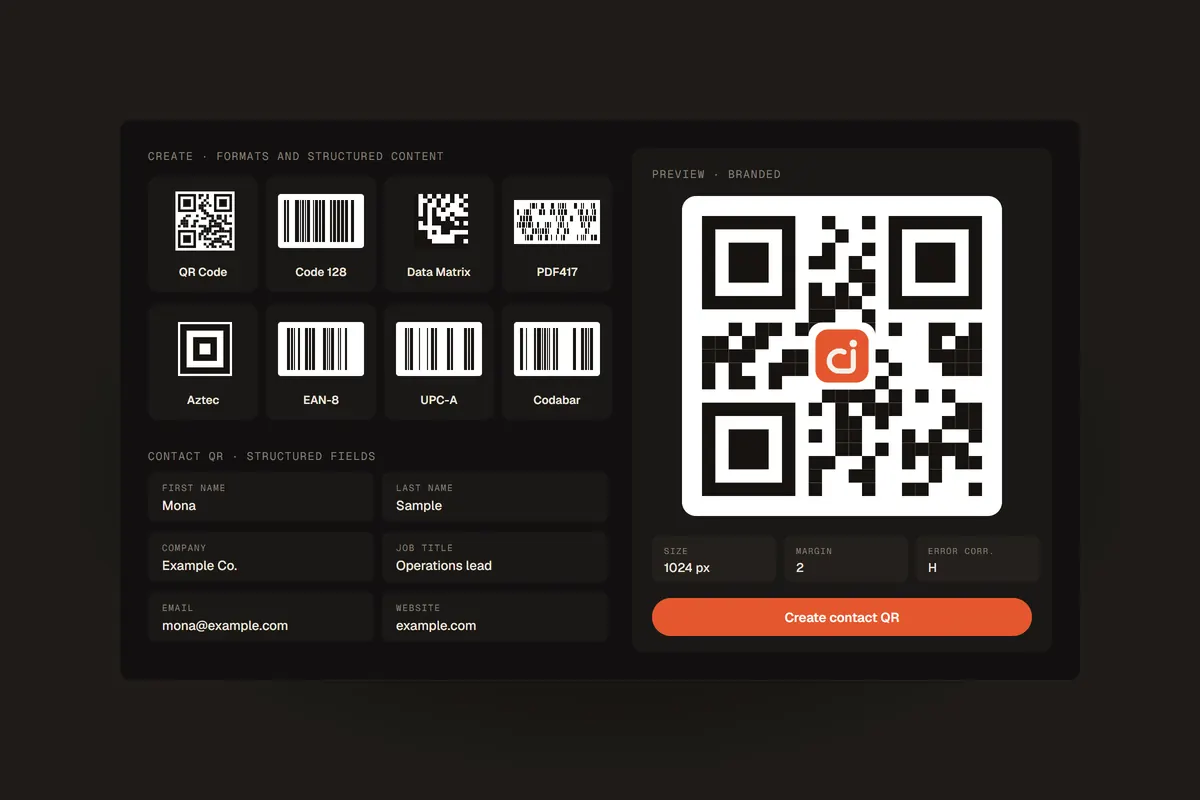
Generate QR Code, Code 128, Code 39, EAN-8, ITF, UPC-A, UPC-E, Codabar, Data Matrix, PDF417, Aztec, MSI and Plessey. QR content can be structured — Wi-Fi details, an email, or a full contact card — and every code can be customised.
- Width, height and margin
- Error-correction level where the format supports it
- Foreground and background colours
- A logo or image in the centre of QR codes
Bulk encoding from a CSV file
Provide a CSV with a content column and an optional format column, and CodeFlow generates the whole collection in one run — mixing formats in the same file if needed — and saves the images into an organised folder. It has been used for workloads of millions of codes.
Read codes from anywhere
Snip a region of the screen, paste an image from the clipboard, open a saved file, or point a webcam at a printed code. The content and the detected format are shown at once; settings can copy results automatically or open detected links.
Bulk decoding of whole folders
Point CodeFlow at a folder of barcode and QR images and it extracts the content of each one into an Excel-compatible report — useful for auditing generated collections or recovering data from image archives.
Continuous batch scanning for production
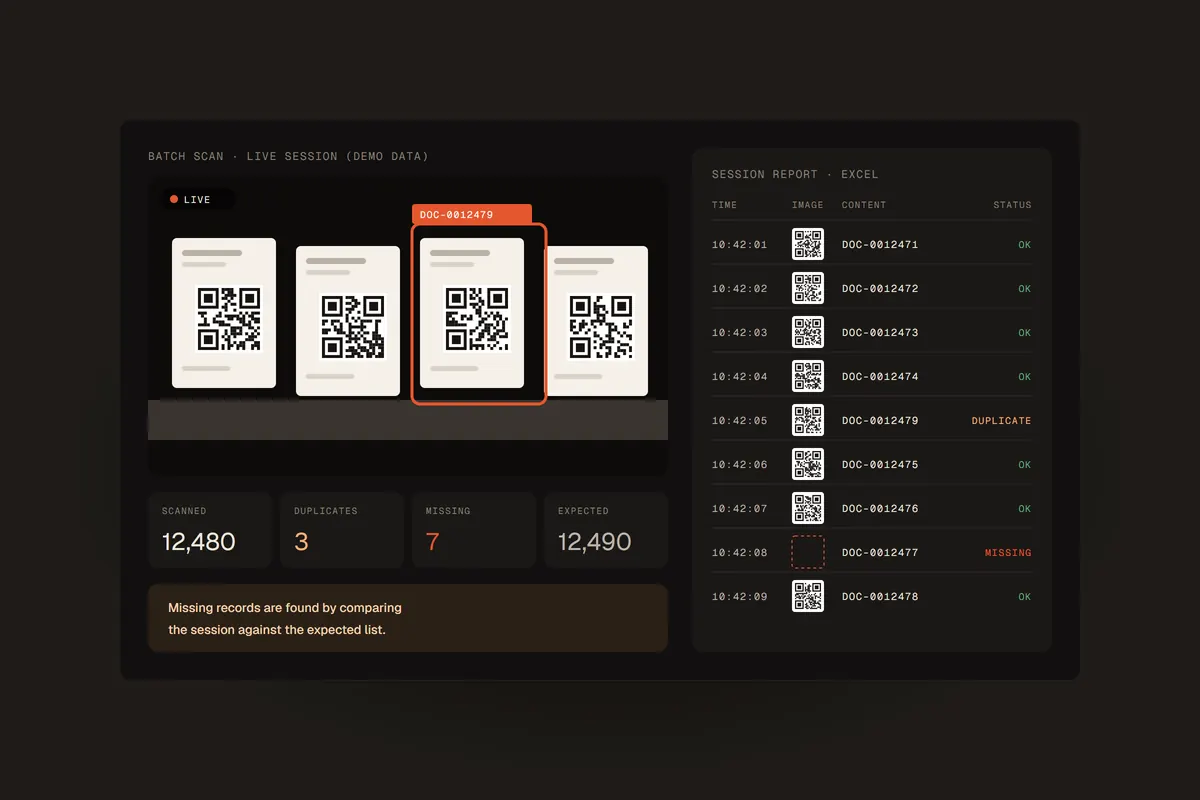
Start a live session and let documents or items pass in front of the camera. CodeFlow reads every visible code, timestamps it, flags repeated values, and — when an expected list is provided — shows which records are missing. The session ends with an Excel report including the content, format, time and a captured image of each code.
History, settings and what comes next
A history workspace keeps past operations, and settings cover the start-up workspace, clipboard and link behaviour, paste-to-create, and light or dark themes. Integrations with ERP and warehouse systems, an API and multi-station dashboards are on the roadmap, not yet available.
Illustrations show a conceptual Cisevo-styled interface with fictional data; demo counts are not performance figures. Decoding depends on code quality and camera conditions.